
VIRTUTEM Insights
IBM i Business Continuity Framework
IBM i runs the business. When it goes down, the business stops. For most mid-to-large manufacturing and distribution companies running IBM i, that dependency is total: order entry, inventory management, production scheduling, billing, and shipping all flow through the same platform.
That is a strategic asset. But it is also a concentrated risk.
The platform itself is not the problem. IBM i is one of the most operationally reliable environments in enterprise computing. Across the global installed base of more than 100,000 organizations, 96% of users report that IBM i delivers a better return on investment than alternative operating environments. Based on IBM’s published release roadmap and historical support lifecycle, industry analysts project that support for the IBM i platform will extend through 2044, a long-term commitment that very few enterprise vendors can match.
IBM Power10 servers recorded “eight 9s”, translating to only milliseconds of unplanned downtime per year.
The risk is organizational, not architectural. Most IBM i environments were built and are maintained by a core group of professionals who have spent 15 to 30 years mastering the platform. More than 72% of those professionals are now over 50. When they retire, they take with them not just their skills, but the institutional knowledge that makes recovery possible. The disaster recovery plan that passed its last audit may depend on a person who no longer works there to execute it.
The gap between having a plan and having a tested, executable plan is larger than most organizations realize. According to the Fortra IBM i Marketplace Survey, 62% of IBM i shops have some form of high availability in place, but 53% still rely on tape backup as their primary recovery method. Tape works. But recovering a full IBM i environment from tape, under pressure, without the expert who designed the backup scheme, in a window that keeps the business operating, is a different test entirely.

There is a near-term trigger that makes this more urgent than it might appear from the outside. IBM i 7.3 reaches the end of its first Service Extension on September 30, 2026, after which continued support will require enrollment in a second, narrower Extended Service Extension through 2028. Organizations still running 7.3 in an ERP environment will cross into unsupported territory within months.
The question for CFOs and COOs is not whether IBM i is a reliable platform. It is.
The question is whether the organizational layer wrapped around it, the people, the processes, the documentation, and the recovery procedures, is as reliable as the platform itself.
For most organizations, it is not.
Why Business Continuity is Harder Than It Looks

Business continuity planning for IBM i looks straightforward from the outside: back up the system, have a recovery procedure, and test it periodically. However, the organizations that have actually tried to execute that plan find it more complicated.
Four specific dynamics make IBM i business continuity harder than it appears.
1. IBM i’s Reliability is a Cultural Liability
A platform that has run without failure for a decade creates an environment where failure feels theoretical. DR testing gets scheduled, then rescheduled, then deprioritized because something more urgent comes up, while the system keeps running.
The reliability of the hardware does not extend to the organizational capacity to recover it. When the IBM i expert who last ran a full system restore retires, the organization discovers that its recovery plan existed primarily in that person’s memory. IBM i’s stability is exactly what allows continuity gaps to go undetected for years.
2. The HA/DR Deployment Gap is Not an Awareness Problem
Most IBM i shops have taken steps toward disaster recovery. Fewer have tested whether what they’ve done actually works.
IBM i high availability requires IBM i expertise to configure, test, and maintain, but that expertise is retiring out of the workforce. Organizations cannot implement what they cannot staff. This creates a compounding problem: the organizations most at risk from a skills drain are the same ones least equipped to implement the technical solutions that would reduce their risk.
3. The Ransomware Advantage is Real
IBM i’s object-based security architecture and proprietary operating environment make OS-level ransomware attacks highly improbable. Manufacturing was the most ransomware-targeted industry for the fourth consecutive year in 2024, according to IBM’s own X-Force Threat Intelligence Index.
IBM i’s integrated architecture provides meaningful OS-level protection that Windows and x86 environments lack, but that protection depends on how the environment is configured and managed. An IBM i shop with experienced oversight is substantially more resilient than one running lean.
While this is an advantage, it is not, however, complete protection. IBM i environments almost universally connect to Windows systems via network file-sharing protocols. Ransomware that encrypts a Windows server can reach files stored in IBM i’s Integrated File System through those shared connections.
The protection IBM i provides is real at the operating system level, and it requires deliberate network architecture to extend that protection to the file-sharing boundary.
Organizations that assume IBM i is immune are one misconfigured network share away from discovering otherwise.
4. Regulators and Insurers Have Changed the Standard
For years, demonstrating that backup tapes exist and that a recovery procedure was documented was sufficient for auditors, insurers, and boards.
That standard has shifted.
Cyber insurers now underwrite based on tested, verifiable recovery capability. Boards increasingly expect recovery time objectives stated in hours, not weeks. Regulatory frameworks in manufacturing (SOX IT controls, FDA 21 CFR Part 11 for organizations in regulated production, sector-specific audit requirements) are expanding their scope.
According to a 2024 Protiviti report, a majority of organizations reported that their SOX compliance scope has expanded significantly or moderately over the past two years. IBM i environments that have never been formally brought into a compliance governance framework are at risk of exposure during audits because the data they hold and the business rules embedded in decades of custom code are undocumented and unreproducible.
Where VIRTUTEM Fits with Your Business
VIRTUTEM’s ERP Managed Services cover the application layer of your IBM i environment, including the RPG business logic and manufacturing workflows essential to your business operations.
We maintain ongoing expertise in your environment’s customizations, integrations, and business rules so that knowledge is never concentrated in only a few people.
VIRTUTEM provides staff augmentation when you need extra capacity, application support when something breaks, and IBM i expertise for issues that can’t wait until morning.
When a key developer retires or a ship window is at risk, our team already understands your environment well enough to step in.
Five Dimensions of IBM i Continuity Exposure
IBM i business continuity risk does not sit in a single category.
Organizations that assess their exposure honestly will find it distributed across five dimensions, each with distinct failure modes and different organizational owners.
The dimension most commonly underestimated is knowledge concentration. It receives the least attention from the board and carries the greatest operational consequences when it surfaces.
Risk Dimension 1: Recovery Technology Gap
What it is: The delta between the recovery capability an organization believes it has and the recovery capability it could actually execute under pressure.
Observable indicators: Primary recovery method is tape backup with no tested full-system restore in the past 12 months; no documented recovery time objective for the IBM i environment; recovery procedure documentation references staff who are no longer employed; no secondary IBM i environment configured for failover.
Operational consequence if unaddressed: Aberdeen Research documents average unplanned downtime costs for manufacturers at $260,000 per hour.
Siemens’ True Cost of Downtime research finds that the average incident duration among companies that track their outages is 4 hours, resulting in roughly $1 million in exposure before recovery is complete.
Risk Dimension 2: Knowledge Concentration
What it is: Critical operational and recovery knowledge held by one or two individuals and not documented, not transferred, and not accessible if those individuals leave.
Observable indicators: One person is the primary contact for IBM i production issues; no written documentation of system customizations, batch job schedules, or integration configurations; junior staff cannot perform basic IBM i administration independently; the answer to “who would recover the system if [name] were unavailable?” produces a pause.
Operational consequence if unaddressed: More than 72% of IBM i professionals are over 50 and approaching the end of their careers. When the expert who built the system retires, the institutional knowledge embedded in 20 years of RPG and COBOL customizations, workarounds, and undocumented configurations retires with them. What remains is a system nobody fully understands and a business that cannot afford for it to fail.
Risk Dimension 3: Platform Version Currency
What it is: Running IBM i software versions that have reached or are approaching the end of vendor support, removing access to security patches, IBM-recommended fixes, and technical support for production issues.
Observable indicators: IBM i 7.3 in production; no active planning for version currency; reliance on software that IBM no longer patches; a cyber insurer or external auditor has flagged unsupported software as a finding.
Operational consequence if unaddressed: IBM i version 7.3 reaches the end of extended support on September 30, 2026. After that date, IBM is no longer releasing security patches or recommended fixes for 7.3 environments.
Risk Dimension 4: Regulatory and Audit Exposure
What it is: IBM i systems that hold business-critical data, including financial records, quality control logs, order history, and production records, without the documentation, access controls, or audit trails necessary to satisfy auditors and regulators on demand.
Observable indicators: No formal IT general controls documentation for the IBM i environment; data retention policies exist at the policy level but are not enforced in the IBM i environment; quality control or production records are maintained in IBM i but are not part of the formal records management framework; external auditors have not reviewed IBM i configurations in more than two years.
Operational consequence if unaddressed: IBM i environments in manufacturing often contain decades of inventory data, production records, and quality control flags embedded in custom code — all documentation that would be required in a product recall investigation, financial audit, or regulatory inquiry.
When the developer who wrote that code is no longer available to explain what a particular flag means, the organization cannot produce a reliable record of what the data represents.
Risk Dimension 5: ERP Continuity Dependency
What it is: IBM i is the platform on which the ERP runs. An IBM i outage is an ERP outage. The downstream consequences extend beyond IT into operations, finance, and customer commitments.
Observable indicators: No documented understanding of which ERP functions fail and in what sequence during an IBM i outage; no manual fallback procedures for order management, inventory, or production scheduling; customer SLA commitments that cannot be met if IBM i is unavailable for more than four hours.
Operational consequences if unaddressed: ERP failures in manufacturing have documented consequences, with businesses losing thousands of dollars due to poor planning and ill-conceived ERP transitions.
IBM i environments that run Infor LX or comparable ERP platforms carry equivalent exposure.

What Prepared Organizations Are Doing
Organizations that have navigated IBM i business continuity well are not doing it with bigger budgets — they are doing it with a different operating model.
Four approaches distinguish the organizations with tested, executable continuity from those with documented intentions.
1. Separating “Have a Plan” From “Have a Tested Plan”
The organizations that have moved past the HA/DR adoption gap have done one specific thing: they have actually run the recovery. This sounds obvious, and the practical obstacles are real.
A full IBM i recovery test requires taking the system offline, which means scheduling it against production windows. It requires IBM i expertise to execute, which is increasingly scarce. And, it requires someone to own the outcome, including the remediation when the test surfaces gaps.
Organizations that have done this consistently report the same finding: the first test always reveals something not documented. This includes hardcoded network addresses, third-party application dependencies not in the recovery sequence, objects not included in backup scope, and tape backups that have not been validated in months.
These are solvable problems, as long as they are discovered before an actual outage forces the test.
2. Treating Knowledge Transfer as Infrastructure, Not HR
The most operationally-mature IBM i organizations have reframed knowledge documentation as infrastructure maintenance. This means maintaining living documentation of system configurations, custom code libraries, batch job dependencies, integration touchpoints, and recovery procedures, all of which are updated continuously.
The practical test: if the two most experienced IBM i staff members were unavailable starting tomorrow, could the organization recover its production environment solely from documentation? For most IBM i shops, the honest answer is no.
Closing that gap requires systematically externalizing the knowledge those people carry before it becomes unrecoverable.
3. Aligning Recovery Technology to What Boards and Insurers Now Require
Tape backup was the right answer for a different risk environment. The expectations of cyber insurers, external auditors, and boards have shifted toward demonstrable, tested recovery capability. More specifically, the ability to restart the application, not just restore the data.
For IBM i environments, this means high-availability replication that operates at the transaction and object levels, preserving the application context needed to restart an ERP environment in a usable state.
The technical distinction matters: disk-based or tape-based recovery restores data blocks. It cannot distinguish between a completed transaction and a partially committed one. Application-aware replication preserves transaction integrity so that the system that comes up after a failover reflects the business’s actual state at the time of the outage.
4. Addressing the ERP Application Continuity Risk
Business continuity for IBM i organizations has two distinct dimensions that require different approaches.
The infrastructure layer — HA/DR, backup and recovery, version currency — ensures the platform stays available. The ERP application layer — Infor LX configuration, RPG business logic, BPCS customizations, and manufacturing workflows — ensures the business continues to run on the platform.
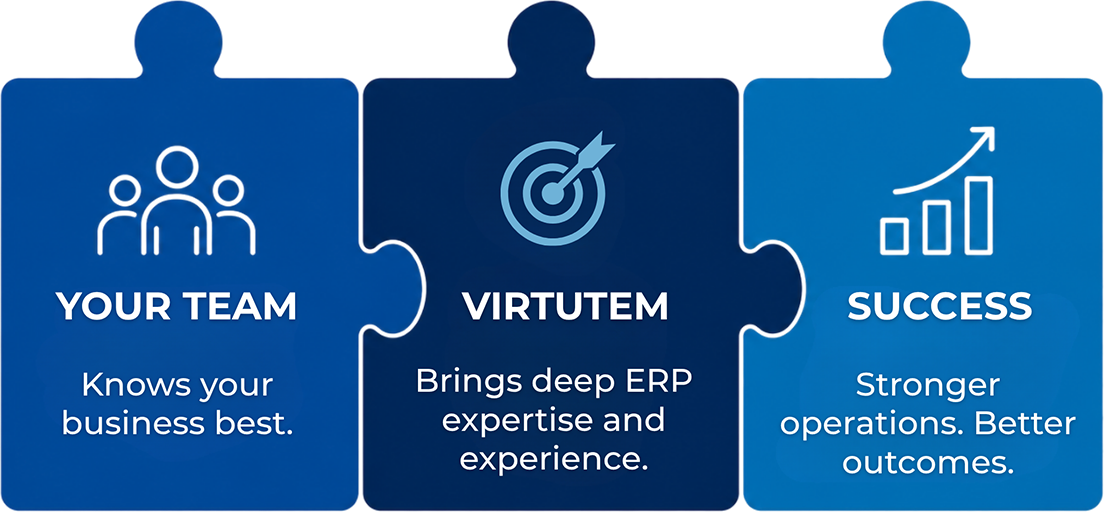
Most continuity-planning addresses the infrastructure layer. The ERP application layer is the one that fails silently when key people retire.
When the Infor LX expert who configured the MRP module leaves, the system continues running. But, the next time something needs to change in that module, the organization discovers that the configuration knowledge remains with that person who left.
The ERP application layer is a continuity risk that doesn’t surface in disaster recovery testing. It shows up in the first business change request after the knowledge-holder leaves.
ERP Managed Services for IBM i directly-addresses this dimension. A partner who maintains expertise at the application layer ensures that knowledge continuity is built into the operating model, not concentrated in any one individual.
EDI knowledge is as vulnerable to retirement as ERP knowledge, and most generalist MSPs have no one who can resolve a trading partner mapping failure at 9 PM before a ship window.
IBM i Business Continuity Implementation Guide
The following phased guide translates the risk framework into a sequenced action plan. Each phase is designed around realistic organizational capacity.
The immediate phase addresses the highest-consequence gaps with the lowest barrier to action. The near-term phase builds structural resilience. The ongoing phase institutionalizes continuity as a managed-discipline rather than a periodic project.

Phase 1 — Immediate Actions (This Quarter)
These actions begin now, regardless of the organization’s maturity in continuity.
They address the gaps most likely to manifest as failures in an actual incident and require no new technology investment to get started.
1.1 Conduct a Recovery Reality Check
- Identify the last date on which a full IBM i system restore was executed.
- If that date is more than 12 months ago, or if no one can confidently recall the date, treat this as an immediate gap.
- Who owns it: CIO or VP of IT.
- What good looks like: a documented answer with a date and the name of the person who ran the test.
1.2 Map Your Knowledge Concentrations
- For each critical IBM i function, including production scheduling, order processing, inventory, billing, and interface management, identify who holds operational knowledge and who can perform that function independently if the primary person is unavailable.
- Functions with no backup person are single points of failure. Document them explicitly.
- Who owns it: IT Director with input from operations leadership.
- What good looks like: a one-page map showing critical functions, primary knowledge holder, and backup capability status.
1.3 Confirm IBM i Version Status and Support Timeline
- Identify the IBM i version currently in production.
- If running IBM i 7.3, begin planning the upgrade path now. IBM extended support of IBM i 7.3 ends September 30, 2026.
- Who owns it: CIO with sign-off from CFO for budget planning.
- What good looks like: a version currency plan with a target date and resource requirements.
1.4 Review Cyber Insurance Coverage Against Actual IBM i Configuration
- Confirm that the IBM i environment is explicitly covered under the cyber insurance policy.
- Review whether coverage requires tested HA/DR capability; many insurers now condition coverage or pricing on demonstrated recovery testing.
- Flag any gaps between insurer requirements and the current IBM i recovery posture to the CFO and legal/risk team.
- Who owns it: CFO with CIO input.
- What good looks like: written confirmation of IBM i coverage scope and any conditions requiring remediation.
Phase 2 — Near-Term Actions (This Year)
These actions build the structural resilience that makes IBM i business continuity durable — not dependent on a specific person being available or a recovery procedure being remembered correctly under pressure.
2.1 Execute a Tested IBM i Recovery
- Schedule and execute a full IBM i system recovery test against a defined recovery time objective. If the organization does not have an RTO for the IBM i environment, establish one before scheduling the test — it is the benchmark against which the test result is evaluated.
- Document every gap surfaced by the test: objects not in backup scope, dependencies not in recovery documentation, third-party application issues, and network configuration problems. Assign remediation ownership and deadlines.
- Who owns it: IT Director. Executive sponsor: COO (the RTO is a business decision, not a technical one).
- What good looks like: a completed test report with documented RTO achieved, gaps identified, and a remediation plan approved.
2.2 Build Living System Documentation
- Document IBM i configuration at the system level: LPAR settings, subsystem configuration, job scheduling, interface connections, and custom code library structure.
- Document Infor LX or ERP-layer customizations: which business rules are embedded in custom programs, which interfaces connect to external systems, and which batch jobs are on the critical path.
- Store documentation in a location accessible to non-IBM i administrators. If recovery documentation requires IBM i knowledge to navigate, it will not be usable in a crisis by the people who need it most.
- Establish an update process tied to change management — documentation updated at implementation, not after the fact.
- VIRTUTEM deploys IBM Bob, IBM’s AI development tool built specifically for IBM i, across its delivery team to accelerate the documentation of undocumented environments and ensure that the resulting documentation belongs to the client. For organizations beginning a documentation initiative, IBM Bob can generate code explanations and documentation for existing RPG and COBOL programs within hours, not weeks.
- Who owns it: IBM i technical lead with oversight from the IT Director.
- What good looks like: documentation that an IBM i-experienced person from outside the organization could use to recover the system without internal guidance.
2.3 Align HA/DR Technology to Business Requirements
- Evaluate whether the current backup and recovery technology can meet the recovery time objective established in step 2.1.
- If tape-only recovery cannot meet the RTO, evaluate high-availability replication options appropriate for IBM i. Prioritize options that include tested failover capability, not just data replication.
- Confirm that any HA/DR solution selected covers both IBM i database objects and the ERP application layer — replication that covers data but not application configuration will not enable a clean restart.
- Who owns it: CIO with CFO approval for the budget.
- What good looks like: a confirmed HA/DR configuration that has been tested end-to-end and meets the defined RTO.
2.4 Address IBM i 7.3 / 7.4 Version Currency
- If running 7.3, complete the upgrade to a supported version before September 30, 2026. Engage IBM i upgrade expertise early. Production IBM i upgrades require planning, testing, and typically a parallel environment for validation before cutover.
- If running 7.4, note that 7.4 standard support has a defined end date — confirm the extended support window and begin planning for 7.5 or 7.6. IBM i 7.6 launched in April 2025 with a projected decade-long lifecycle.
- Who owns it: IT Director with CIO sign-off.
- What good looks like: a production environment on a supported IBM i version, with the next planned upgrade version and timeline documented.
Phase 3 — Ongoing (Sustained Discipline)
Business continuity is not a project with a completion date. These ongoing practices are what distinguish organizations that maintain genuine continuity from those that merely document it.
3.1 Annual IBM i Recovery Testing
- Execute a full IBM i recovery test at least once a year. Test against the documented RTO. If the RTO is not met, that is a finding requiring remediation.
- Include operations leadership in the debrief. Recovery testing is a business exercise, not an IT exercise. The COO needs to understand what the actual recovery window looks like under realistic conditions.
3.2 Succession Planning for IBM i Expertise
- Maintain an active succession plan for IBM i operational knowledge.
- Track the retirement timeline of IBM i-critical staff, and treat planned departures as transition events with a preparation window, rather than departures that trigger an emergency response.
3.3 Continuity Review in Business Planning Cycles
- Include IBM i business continuity posture as a standing agenda item in annual IT strategy reviews and relevant board or audit committee presentations.
- Review cyber insurance coverage annually against the actual IBM i configuration.
- Review IBM i version currency annually against IBM’s published support lifecycle.
3.4 Address ERP Application Continuity
- If internal expertise in Infor LX and IBM i applications is concentrated in one or two individuals, evaluate ERP Managed Services for IBM i to provide application-layer continuity independent of individual staffing.
- Before engaging any managed services partner, ask, “Does this provider maintain expertise at the ERP application layer or only at the IBM i infrastructure layer?”
- Infrastructure coverage ensures the system stays running. ERP application coverage ensures the business continues to run on the system. For manufacturing and distribution organizations running Infor LX, both layers matter.
About VIRTUTEM
Business continuity on IBM i is about more than keeping the platform available. It is about ensuring that the people, application knowledge, customizations, integrations, and business processes required to operate the ERP remain available as well.
VIRTUTEM helps manufacturers and distributors address that application-layer continuity risk through Infor LX and BPCS Managed Services, IBM i expertise, staff augmentation, application support, modernization, upgrades, integrations, and structured knowledge transfer.
Whether the immediate concern is a retiring RPG developer, an unsupported environment, undocumented customizations, or simply too much critical knowledge concentrated in too few people, VIRTUTEM can help identify the exposure and build a practical continuity plan.
When the people who built and configured those environments approach retirement, VIRTUTEM ensures the ERP application layer — the Infor LX configuration, the customization history, the manufacturing business logic — remains understood, documented, and supported. That is the continuity gap most organizations do not discover until it is too late to address proactively.
Organizations managing IBM i continuity risk effectively are not doing so alone.
We’ll review where critical knowledge is concentrated, how dependent your ERP environment is on individual team members, and where managed services, documentation, modernization, or supplemental expertise could reduce the risk.